
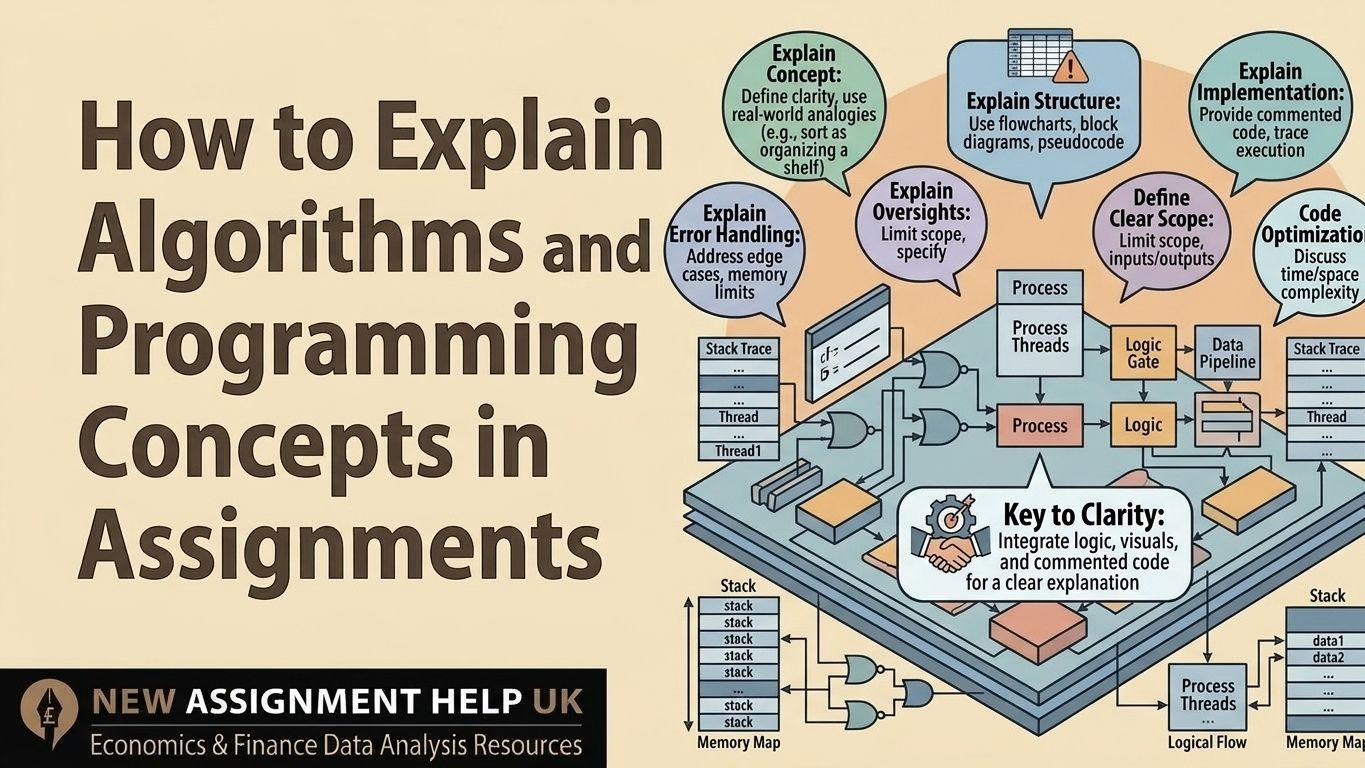
How to Explain Algorithms and Programming Concepts in Assignments
- How to Explain Algorithms in Assignments: A Simple 5-Step Guide for Students
- Why Does Clear Explanation Matter in CS Assignments?
- The Best Way to Explain an Algorithm
- Step 1: Define the Concept
- Step 2: Explain the Logic Step by Step
- Step 3: Use a Worked Example (Dry Run)
- Step 4: Add the Code
- Step 5: Explain Complexity and Justification
- How Do You Explain Programming Concepts?
- What Mistakes Do Students Make When Explaining Algorithms?
- How Can You Score Higher?
How to Explain Algorithms in Assignments: A Simple 5-Step Guide for Students
Many students understand algorithms but freeze when it is time to explain them in an assignment. Some paste a block of code and say nothing. Others write pages of theory and never show how it works. Both lose marks. Learning how to explain algorithms in assignments is really a skill of clear, step-by-step communication. This guide gives you a simple framework you can use every time, so your answers show real understanding and score higher.
Why Does Clear Explanation Matter in CS Assignments?
Markers often check how clear your logic is and whether your explanation is correct or not, along with running the program. They want to see that you understand the work, not just that you copied something that works.
Here is the key point. A correct program with no explanation often gets lower marks than a well-explained one. So you need a clear way to present every algorithm. Here is one that works.
The Best Way to Explain an Algorithm
Use this 5-step framework every time you work on any programming assignment. We will use binary search to show each step. And it works on sorted data.
Step 1: Define the Concept
Start by explaining what the algorithm is, what problem it solves, and where it is used. Make sure to keep it short and simple.
Example: "Binary search finds an item in a sorted list quickly. It is used in dictionaries, databases, and search tools."
Skip writing in long history. One or two lines are enough for defining the idea behind your work.
Step 2: Explain the Logic Step by Step
Now, break the process into numbered steps which can be seen easily. Follow the flow from start to finish.
- Find the middle item of the list.
- If it matches your target, stop.
- If the target is smaller, search the left half.
- If the target is bigger, you can search the right half.
- Repeat until you find it or the list is empty.
You can add pseudocode or a flowchart here. Do not skip steps. That is a very common mistake most students make.
Step 3: Use a Worked Example (Dry Run)
A dry run is where your understanding becomes visible. Pick a small input and walk through it.
Search for 7 in [1, 3, 5, 7, 9].
- The middle item is 5. Since 7 is bigger, go right.
- Now the list is [7, 9]. The middle is 7.
- It matches. Found it.
This is short, clear, and easy to follow. With the logic proven, then show the code.
Step 4: Add the Code
Keep your code clean and make sure you have good spacing and short comments. Here is an example for this:
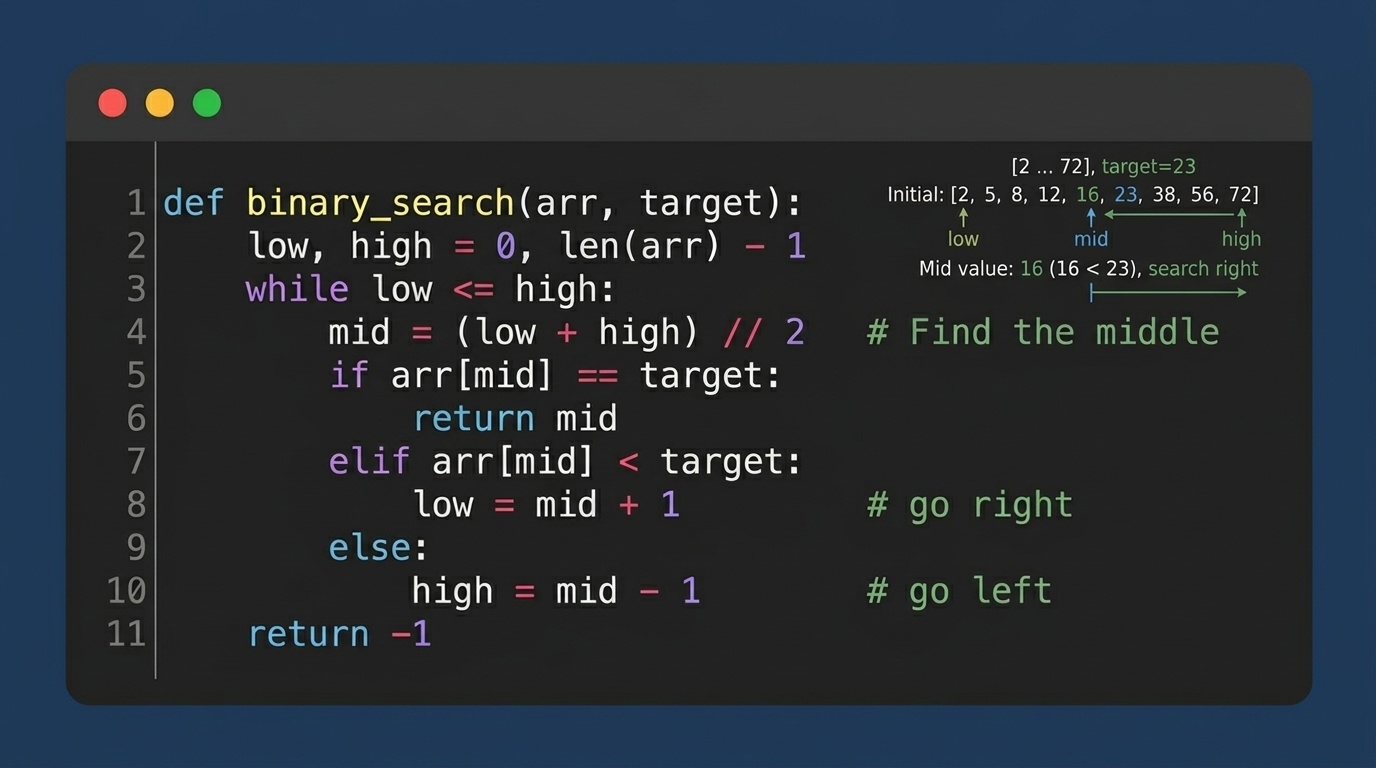
Please ensure the code matches your steps. Never paste long code without a few lines of context. Now comes the step that sets top answers apart.
Step 5: Explain Complexity and Justification
At this point, mention the time and space complexity of the algorithm. Then say why the algorithm is a good choice and when it is not.
Binary search runs in O(log n) time and uses O(1) extra space. That makes it much faster than linear search on big lists. But it only works on sorted data. This step often separates an average answer from a high-scoring one.
Many students get stuck on Big-O, so keep it simple. Time complexity tells you how the work grows when the input grows. Think of finding a word in a dictionary. Reading every page one by one is slow. Opening the middle and cutting the book in half each time is much faster. That is the idea behind O(n) and O(log n).
The following steps explain how to present algorithms in your assignment. Practice regularly and apply them in your assignments to improve your results. Now let's understand how to explain basic concepts.
How Do You Explain Programming Concepts?
Major concepts like variables, loops, functions, and classes need the same simple approach. That is why you start with a definition. Add a small example. Show a short code snippet. Avoid heavy jargon.
For example, you can explain a class as a blueprint. A blueprint of a house is not the actual house, but you can use it to build many houses from it. In the same way, a class is not an object, but you can create many objects from it. Real-life comparisons like this make ideas stick. Now let's look at what to avoid.
What Mistakes Do Students Make When Explaining Algorithms?
- Writing only code with no explanation
- Writing theory without showing it in run
- Skipping examples or dry runs
- Not mentioning complexity
- Using too much technical jargon
The first two affect your assignment the most. Code alone does not prove you understand it. Theory alone does not prove it works. Show both. You can improve it by looking at the tips below.
How Can You Score Higher?
- Add a diagram or flowchart when it helps.
- Use headings and steps to keep things tidy.
- Link your code to your explanation, line by line if needed.
- Keep answers short but complete.
- Use the same structure for every algorithm.
That last tip saves time and builds a habit marker notice. Explaining algorithms is a simple, structured process. Follow the path: Concept, Logic, Example, code, and Analysis. Do it every time, and your answers will feel clear and confident. And seeking CS assignment support will help you understand the topic even better.

 8 | MSc in Software Engineering
Daniel Marcus is a computer science writer and academic mentor based in Manchester, UK. He holds a BSc in Computer Science and an MSc in Software Engineering, and he has spent over eight years helping UK university students with programming, algorithms, and technical reports. Daniel has guided thousands of learners through Python, Java, and C++ assignments, from first-year basics to final-year projects. He knows what markers look for because he has seen where students gain and lose marks. His goal is simple: make hard ideas easy to understand. When he is not writing, Daniel enjoys open-source projects and coaching beginners.